
The Role of Agentic AI in Automating Everyday Analytics Tasks: What to Automate, Augment and Keep Human (2026)
By Skillancy Editorial Team · 3 November 2026 · 23 min read
Reviewed by Rishav Kumar, Principal Data Analyst, Walmart Global Tech
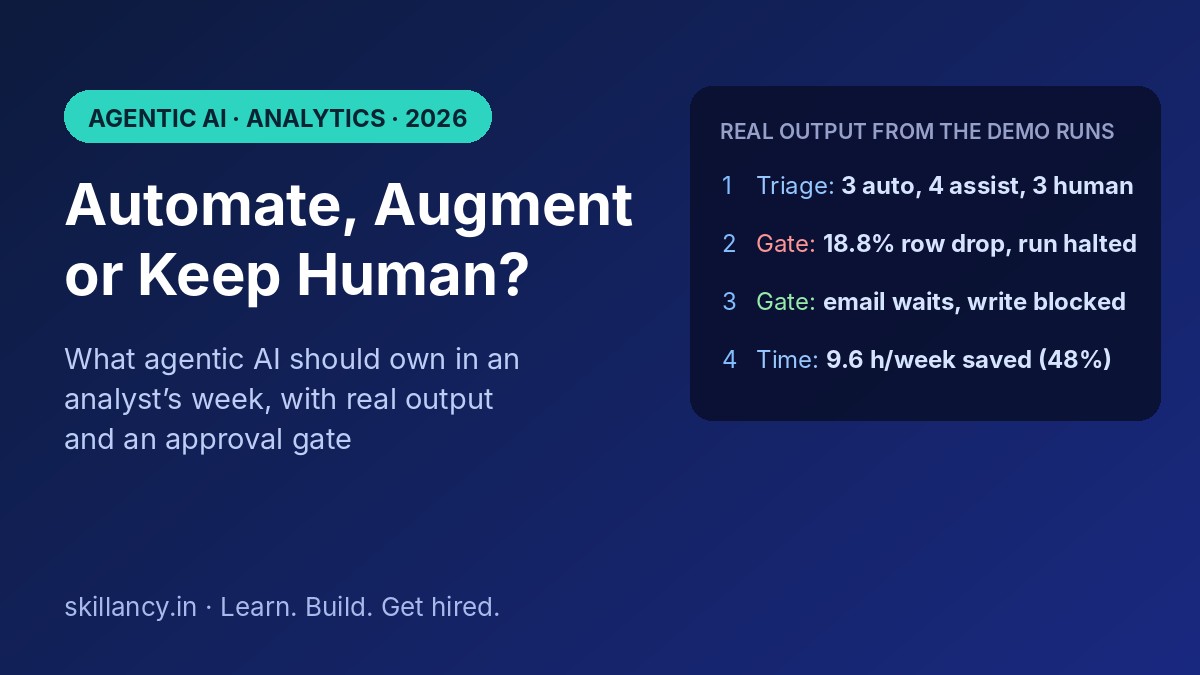
Open any analyst's calendar and you will find the same pattern: a few hours of real thinking, surrounded by many hours of work that is necessary but not intellectually hard. Cleaning the same extract, rebuilding the same Monday report, answering "can you pull the numbers for..." for the fifth time, and chasing a mismatch between two systems. Agentic AI is the first technology that can take a meaningful share of that surrounding work off an analyst's plate, because it can plan steps, use tools such as SQL and Python, check its own output and ask a human when something looks wrong. This guide explains the role agentic AI should play in everyday analytics, which tasks it should own, which it should only assist with, and which must stay human, with a scoring model, an approval-gate demo and a time-saved calculation you can run yourself.
| Question | Short answer |
|---|---|
| What is agentic AI in analytics? | AI that pursues a goal in a loop: plan, act with a tool, check the result, then continue or escalate to a human |
| Which everyday tasks suit it best? | High-frequency, low-risk, rule-checkable work: cleaning, anomaly monitoring, routine data pulls |
| Which tasks should stay human? | Defining metrics, recommending actions, explaining surprising results to stakeholders |
| What makes it safe? | A governed semantic layer, a check after every step, read-only access, logs and an approval gate |
| Will it replace analysts? | It replaces tasks, not the role. The role moves toward framing, verifying and advising |
| How much time can it save? | In our illustrative model, about 48% of routine work after review time. Your number depends on your tasks |
| Where do I start? | One recurring, low-risk task with a clear check, then expand using the 30-60-90 plan below |
What do we mean by "everyday analytics tasks"?
Everyday analytics tasks are the recurring pieces of work that fill an analyst's week regardless of industry. They fall into five groups:
1. Preparing data: receiving extracts, profiling them, fixing formats, removing duplicates, joining sources.
2. Monitoring metrics: watching KPIs, spotting a sudden drop or spike, finding which segment caused it.
3. Answering requests: routine questions from stakeholders that need a query and a short reply.
4. Reporting: refreshing the weekly or monthly pack and writing the commentary around it.
5. Reconciling and documenting: matching numbers between systems, maintaining data dictionaries and run-books.
None of these is glamorous, and almost none requires a new idea. That is exactly why they are the right place to start with agents. A task that repeats often, has a clear definition of "correct" and carries a manageable cost of error is a good candidate for automation. A task that needs judgement, context or a trade-off is not.
What is agentic AI, and how is it different from what analysts already use?
Most analysts already use three kinds of tooling. It helps to separate them, because the role of agentic AI only makes sense against the other two.
| Scheduled script | AI chat assistant | Agentic workflow | |
|---|---|---|---|
| Who starts the work | A timer | You, one prompt at a time | You set a goal, or a trigger starts it |
| Can it adapt to surprises? | No, it breaks | Only if you notice and re-prompt | Yes, it re-plans, retries or escalates |
| Does it touch your data? | Yes | No, you paste data in | Yes, through approved tools |
| Does it check its own work? | Only if you coded the check | No | Checks are part of the loop |
| Best for | Fixed, stable jobs | Drafting and explaining | Repeated tasks that vary a little each time |
An agentic workflow runs a simple loop: plan the steps, act with a tool (a SQL query, a Python function, an API call), observe the result, check it against a rule you set, then decide whether to continue, retry or stop and ask a human. Industry analysts describe the category in similar terms. Gartner's market guide for agentic analytics, as quoted in vendor coverage, frames it as applying AI agents across the data-to-insight workflow, working semi-autonomously or autonomously toward stated goals.
If you want the technical side of this loop, read our guides on agentic analytics with natural language queries, multi-agent workflows with LangGraph and what MCP is and how to build a server. This article is about a different question: not how to build an agent, but what role it should play in your week.
The automation ladder: five levels of agent involvement
Before deciding what to automate, decide how much autonomy each task should get. We use a five-level ladder. Most tasks should sit on levels 1 to 3, and very few belong on level 4.
| Level | Name | What the AI does | What the human does | Example |
|---|---|---|---|---|
| 0 | Manual | Nothing | Everything | Hand-cleaning an extract in Excel |
| 1 | Scripted | Runs fixed steps on a schedule | Fixes it when it breaks | A cron job that loads a file |
| 2 | Assisted | Suggests code, text or a chart on request | Decides, edits, runs | Asking a chat assistant to draft a query |
| 3 | Supervised agent | Plans, acts, checks, drafts; stops at an approval gate | Reviews exceptions and approves outputs | An agent that cleans data, refreshes the report and waits for sign-off |
| 4 | Autonomous monitoring | Watches metrics and raises alerts without being asked | Responds to alerts, owns decisions | A KPI watcher that flags and explains a drop |
Two rules keep this ladder honest. First, autonomy is granted per task, not per tool: the same agent can be level 3 on report refreshes and level 1 on anything that writes to a finance table. Second, a task moves up the ladder only after it has a track record at the level below. This mirrors the way a new analyst earns trust.
Industry commentary points the same way. Coverage of Gartner's 2026 analytics predictions reports that by 2028, 60% of self-service analytics users are expected to use general-purpose LLMs for ad hoc and exploratory analysis, while production-grade reporting stays on governed BI platforms. In other words, assisted and exploratory use will spread fast, while the governed, auditable work stays on tighter controls.
Where agents fit across the analytics lifecycle
The easiest way to see the role of agentic AI is to walk through the analyst's workflow and mark where an agent can help.
| Lifecycle stage | What an agent can own | What an agent can assist with | What stays human |
|---|---|---|---|
| Collect and prepare | Profiling, deduplication, format fixes, rejected-row logs | Suggesting join keys, mapping messy categories | Deciding which source is the source of truth |
| Explore and monitor | Rolling-baseline anomaly detection, segment drill-down | Proposing hypotheses for a change | Judging whether a change is real or an artefact |
| Query and answer | Routine NL-to-SQL for well-defined questions, with the SQL shown | Drafting SQL for new questions | Defining what a metric means |
| Report | Refreshing numbers, comparing to last period, flagging the biggest mover | Drafting commentary around numbers computed in code | Choosing the story and the recommendation |
| Reconcile and govern | Listing mismatches and likely categories | Drafting the data dictionary and run-books | Approving any correction between systems |
| Communicate and decide | Little to none | Preparing a first-draft deck | Explaining, advising, persuading, deciding |
The pattern is consistent: the further a task is from a stakeholder decision, the more of it an agent can own. The closer it is, the more it becomes a draft for a human to shape.
A scoring model to decide what to automate, augment or keep human
"Automate everything repetitive" is bad advice, because some repetitive tasks are risky and some rare tasks are worth assisting. A scoring model forces the trade-off into the open. For each task, rate four things from 1 to 5:
- Frequency: how many times a week it runs (capped at 5 in the score).
- Checkability: how easily a rule can verify the result (row counts, totals, ranges, a reconciliation).
- Cost of error: how bad a wrong output would be if it escaped.
- Judgement needed: how much context or interpretation the task requires.
The score is (frequency capped at 5 × checkability) / (cost of error + judgement). Tasks with high judgement (4 or more) or catastrophic error cost (5) are held back for humans regardless of score. Among the rest, a score of 2.0 or more with checkability of 4 or more is tagged Automate; everything else is Augment.
import pandas as pd

tasks = [
    # name, runs_per_week, checkable(1-5), cost_of_error(1-5), judgement(1-5)
    ("Clean and profile a weekly extract",        5,   5, 2, 1),
    ("Refresh and sanity-check the Monday report", 1,   5, 3, 2),
    ("Flag KPI anomalies and drill down",          7,   4, 2, 2),
    ("Answer routine 'pull the numbers' requests", 12,  4, 3, 2),
    ("Reconcile warehouse vs finance totals",      1,   5, 4, 2),
    ("Draft the weekly commentary",                1,   3, 3, 3),
    ("Write documentation and data dictionary",    2,   3, 1, 2),
    ("Decide which metric defines 'active user'",  0.2, 1, 5, 5),
    ("Recommend a pricing change to leadership",   0.1, 1, 5, 5),
    ("Explain a surprising result to a VP",        1,   1, 4, 5),
]
rows = []
for name, freq, chk, err, judge in tasks:
    score = round((min(freq, 5) * chk) / (err + judge), 2)
    if judge >= 4 or err >= 5:
        tier = "KEEP HUMAN"
    elif score >= 2.0 and chk >= 4:
        tier = "AUTOMATE"
    else:
        tier = "AUGMENT"
    rows.append((name, freq, chk, err, judge, score, tier))

t = pd.DataFrame(rows, columns=["task","per_week","checkable","err_cost","judgement","score","tier"])
print(t.sort_values("score", ascending=False).to_string(index=False))
print(t.tier.value_counts().to_string())
Real output from our run:
                                      task  per_week  checkable  err_cost  judgement  score       tier
        Clean and profile a weekly extract       5.0          5         2          1   8.33   AUTOMATE
         Flag KPI anomalies and drill down       7.0          4         2          2   5.00   AUTOMATE
Answer routine 'pull the numbers' requests      12.0          4         3          2   4.00   AUTOMATE
   Write documentation and data dictionary       2.0          3         1          2   2.00    AUGMENT
Refresh and sanity-check the Monday report       1.0          5         3          2   1.00    AUGMENT
     Reconcile warehouse vs finance totals       1.0          5         4          2   0.83    AUGMENT
               Draft the weekly commentary       1.0          3         3          3   0.50    AUGMENT
       Explain a surprising result to a VP       1.0          1         4          5   0.11 KEEP HUMAN
 Decide which metric defines 'active user'       0.2          1         5          5   0.02 KEEP HUMAN
  Recommend a pricing change to leadership       0.1          1         5          5   0.01 KEEP HUMAN

tier
AUGMENT       4
AUTOMATE      3
KEEP HUMAN    3
How to read this. Three tasks come out as Automate: cleaning, anomaly monitoring and routine data pulls. All three are frequent, checkable and low-to-moderate in error cost. Four land in Augment, including the Monday report and reconciliation. They are checkable, but the cost of a wrong number or a wrong correction is high enough that a human should approve the output. Three are Keep Human, and note that they score close to zero for a good reason: they are rare, uncheckable and judgement-heavy.
Be honest about the limits of this model. The weights are a heuristic, not a law. The ratings are your judgement, and two analysts will rate the same task differently. Use the score to start a conversation with your team, not to end it. If a task surprises you by scoring low, ask whether that is the model's blind spot or a signal you had not noticed.
The approval gate: how to let an agent act without letting it overreach
The single most important design decision in an agentic workflow is what the agent may do on its own. The cleanest way to encode this is a policy that maps each type of action to a rule: auto-approve, require a human, or block.
| Action type | Example | Policy |
|---|---|---|
| Read | Profile an extract, run a SELECT | Auto-approve |
| Compute | Clean data, run a rolling-baseline check | Auto-approve |
| Draft | Write commentary around computed numbers | Auto-approve (but a human reads it before it is sent) |
| Notify | Email a report to 40 people | Require human approval |
| Write | Overwrite a finance table | Block |
Here is a small demonstration. The agent runs six steps. In the first run, the row-count check fails because cleaning dropped 18.8% of the rows, which is above a 10% limit. The agent stops and escalates. In the second run, the data is healthy, and the agent proceeds up to the approval gate.
POLICY = {"read": "auto", "compute": "auto", "draft": "auto", "notify": "human", "write": "block"}
steps = [
    ("profile extract",           "read"),
    ("clean extract",             "compute"),
    ("row-count check",           "compute"),
    ("draft weekly commentary",   "draft"),
    ("email report to 40 people", "notify"),
    ("overwrite finance table",   "write"),
]

def run(rows_in, rows_out):
    halted = False
    for i, (name, kind) in enumerate(steps, 1):
        if halted:
            res = "SKIPPED (run paused)"
        elif name == "row-count check":
            drop = (rows_in - rows_out) / rows_in * 100
            if drop > 10:
                res = f"FAILED: rows dropped {drop:.1f}% (limit 10%) -> escalate to human"
                halted = True
            else:
                res = f"passed (drop {drop:.1f}%)"
        elif POLICY[kind] == "auto":
            res = "auto-approved"
        elif POLICY[kind] == "human":
            res = "waiting for human approval"
        else:
            res = "BLOCKED by policy"
        print(f"  step {i} [{kind:<7}] {name:<28} {res}")

print("Run 1: rows_out = 812");  run(1000, 812)
print("Run 2: rows_out = 968");  run(1000, 968)
Real output from our run (the first run is the escalation, the second the healthy path):
  step 1 [read   ] profile extract              auto-approved
  step 2 [compute] clean extract                auto-approved
  step 3 [compute] row-count check              FAILED: rows dropped 18.8% (limit 10%) -> escalate to human
  step 4 [draft  ] draft weekly commentary      SKIPPED (run paused)
  step 5 [notify ] email report to 40 people    SKIPPED (run paused)
  step 6 [write  ] overwrite finance table      SKIPPED (run paused)

  re-run with rows_out = 968
  step 1 [read   ] profile extract              auto-approved
  step 2 [compute] clean extract                auto-approved
  step 3 [compute] row-count check              passed (drop 3.2%)
  step 4 [draft  ] draft weekly commentary      auto-approved
  step 5 [notify ] email report to 40 people    waiting for human approval
  step 6 [write  ] overwrite finance table      BLOCKED by policy
What this shows. Three things matter more than the code itself. A failed check stops the whole run instead of letting later steps build on bad data. The agent can draft but cannot send without a person. And the write step is blocked outright, because in a finance context an automatic correction is a controls problem, not a convenience. In production an LLM would plan the steps and write the text, and your policy and checks would remain exactly as shown.
How much time does this actually save? A worked example
Executives will ask the question in rupees or hours. Here is a transparent way to estimate it. For each task, take the hours you spend per week, estimate the share an agent could do, and subtract the review time you will still spend checking its output.
These inputs are illustrative, not benchmarks. They are a plausible week for an analyst in a mid-sized team, and you should replace them with your own measurements.
import pandas as pd
work = [
    # task, hours/week now, share agent can do, review minutes per hour automated
    ("Cleaning and profiling",   5.0, 0.70, 10),
    ("Recurring reports",        4.0, 0.60, 12),
    ("Ad hoc data pulls",        6.0, 0.50, 10),
    ("Anomaly checks",           3.0, 0.60, 8),
    ("Reconciliations",          2.0, 0.50, 20),
]
out = []
for name, hrs, share, rev in work:
    automated = hrs * share
    review = automated * rev / 60
    out.append((name, hrs, round(automated, 2), round(review, 2), round(automated - review, 2)))
m = pd.DataFrame(out, columns=["task","hours_now","automated_h","review_h","net_saved_h"])
print(m.to_string(index=False))
print(f"total now: {m.hours_now.sum():.1f} | net saved: {m.net_saved_h.sum():.2f} h/week")
Real output from our run:
                  task  hours_now  automated_h  review_h  net_saved_h
Cleaning and profiling        5.0          3.5      0.58         2.92
     Recurring reports        4.0          2.4      0.48         1.92
     Ad hoc data pulls        6.0          3.0      0.50         2.50
        Anomaly checks        3.0          1.8      0.24         1.56
       Reconciliations        2.0          1.0      0.33         0.67

  total hours now: 20.0 | net saved: 9.57 h/week (48% of this work)
  over 46 working weeks: 440 hours
Reading the result. On these inputs, about 9.6 hours of a 20-hour routine load is recovered each week, roughly 48%, or around 440 hours over 46 working weeks. Two cautions keep this honest. First, review time is real: reconciliations save the least because they need the most checking per hour automated. Second, build and maintenance time is not in this table. Setting up the workflows, maintaining data connections and handling exceptions costs hours too, and it is usually largest in the first month. Treat the figure as a ceiling for steady state, not a promise for week one.
For context, one commentator in coverage of Gartner's predictions argued that AI could cut an analyst's manual effort on cleaning, transformation and basic visualisation from roughly 60 to 70% of their time to 20 to 30%, shifting the role from query writing to orchestrating AI. That is a forecast from one commentator, not a measured outcome, but it points in the same direction as the model above.
What changes in the analyst's role
When agents own the repetitive layer, the analyst's work shifts, and the skills that matter shift with it.
| Before | After |
|---|---|
| Writing every query by hand | Reviewing generated SQL and fixing the data dictionary behind it |
| Producing the weekly report | Owning the report system and its thresholds |
| Answering every request | Deciding which requests deserve an answer, and which deserve a better question |
| Finding the anomaly | Judging whether the anomaly is real and what to do about it |
| Being the source of numbers | Being the source of trust in numbers |
Four skills rise in value:
1. Problem framing. Agents answer the question you give them. Choosing the right question is still human work.
2. Verification. Knowing how to test whether an automated number is right: reconciliations, sanity ranges, back-of-envelope checks.
3. Metric ownership. Defining "active customer" or "on-time delivery" precisely, once, so every agent and every dashboard uses it.
4. Communication. Turning a verified number into a decision. No agent is accountable in the room where the decision is made.
This is also why interviews are changing. If you are preparing for one, read how data analyst interviews have changed with AI. Describing how you verified an automated output is now a stronger answer than describing the output itself. For the wider picture of the role, see Data Analytics with AI in 2026 and Data Analyst Skills in 2026.
Governance: the part that decides whether it works
Most failed agent projects do not fail because the model is weak. They fail because the surrounding system is. Three foundations matter most.
1. A governed semantic layer. An agent that does not know how your business defines a metric will still answer, confidently and wrongly. Vendor and analyst coverage keeps returning to this: Gartner's 2026 predictions, as reported by Redpanda, expect that 60% of agentic analytics projects relying solely on MCP will fail by 2028 because they lack a consistent semantic layer. You do not need to adopt that exact number to accept the lesson. Write down metric definitions, give the agent a data dictionary, and let humans own the definitions.
2. Least-privilege access and an audit trail. Use read-only credentials by default, restrict the agent to approved tables, cap query size and runtime, and log every question, query and result. Show the generated SQL next to every answer so a reader can see how it was derived.
3. A check after every step, and a human gate before anything leaves the team. The approval-gate demo above is the pattern. The same Gartner coverage also projects that 25% of ungoverned decisions made with LLMs will lead to financial or reputational loss by 2028, which is a reason to keep a human on the decisions even when an agent prepares the inputs.
Adoption data shows why this matters now rather than later. A 2025 McKinsey survey, as cited in OvalEdge's analysis of analytics agents, found 23% of organisations scaling agentic AI systems and another 39% experimenting. When a third or more of organisations are already moving, the question for an analyst is less "whether" and more "how safely".
Common mistakes when automating analytics tasks
| Mistake | Why it hurts | Fix |
|---|---|---|
| Automating a task you do not fully understand | You bake in a wrong assumption | Do it by hand twice, write down the checks, then automate |
| Letting the model do arithmetic | Plausible but wrong totals | Compute every number in code; let the model phrase the sentence |
| Skipping the approval gate | One bad send reaches many people | Require a human for anything that notifies or writes |
| One giant agent for everything | Hard to test, hard to trust | Build small, single-purpose workflows and chain them |
| No stop condition | Loops, retries and runaway cost | Cap steps and retries; escalate on failure |
| Read-write database access by default | One bad query can change data | Read-only credentials; block writes in policy |
| Treating the score model as truth | False confidence in a heuristic | Use it to start a discussion, then override with judgement |
| Ignoring build and maintenance time | The saving looks bigger than it is | Track setup hours and exception handling separately |
Your 30-60-90 day plan
| Window | Focus | Done when |
|---|---|---|
| Days 1-30 | Pick one recurring, low-risk, checkable task (usually cleaning or profiling). Build it at level 3 with a rejected-rows log and a row-count check | You review a log instead of fixing the file by hand |
| Days 31-60 | Add anomaly monitoring on one KPI and a routine-request workflow with read-only SQL and the SQL shown to the requester | A teammate gets an answer without asking you, and a real anomaly is flagged with the right drill-down |
| Days 61-90 | Add the weekly report with numbers computed in code, a human approval gate and a written run-book | Someone else can run it, read the result and explain the checks |
For the hands-on build of five specific workflows with runnable code, follow our companion guide: Agentic AI for Analysts: 5 Repetitive Tasks You Can Automate This Month. Use this article to decide what to automate and how much autonomy to grant, and that one to build it. To practise the SQL and Python underneath, use the free SQL compiler and Python compiler.
Learn to build and supervise these workflows
Reading about agents is the easy part. The hard part is deciding what to automate in a real team, setting the right checks, and explaining your design in an interview or to your manager.
Learn it live: Our Data Analytics with Agentic AI program is a live, mentor-led cohort of 12 weeks and 96 hours, built around building agentic workflows on real analytics problems with practitioners who do this work every day. Not sure it fits your goals? Talk to a mentor. Also see Generative AI and Data Science with AI.
Frequently asked questions
What is the role of agentic AI in analytics?
Its role is to take over repetitive, rule-checkable analytics work, such as cleaning data, monitoring metrics, answering routine data requests and refreshing reports, while humans keep ownership of metric definitions, interpretation and decisions. It works as a supervised teammate, not an independent decision-maker.
Which everyday analytics tasks are best to automate with AI agents?
The best candidates are high-frequency, low-risk tasks with a clear check: data cleaning and profiling, anomaly detection with segment drill-down, and routine natural-language-to-SQL requests. Report refreshes and reconciliations are good to assist, with human approval of the output.
Which analytics tasks should stay human?
Defining what a metric means, recommending business actions, and explaining surprising results to stakeholders. These need context, accountability and trade-off judgement, and they are rarely checkable by a simple rule.
What is the difference between agentic AI and a normal AI chatbot for analytics?
A chatbot answers one prompt and works on whatever you paste in. An agentic workflow pursues a goal across several steps, uses approved tools such as SQL and Python on your data, checks its own result against rules you set, and escalates to a human when a check fails.
Will agentic AI replace data analysts?
It replaces tasks, not the role. Repetitive production work shrinks, while problem framing, verification, metric ownership and communication grow in value. Analysts who can design and supervise these workflows become more useful, not less.
How much time can agentic AI save an analyst?
It depends entirely on your task mix. In our illustrative model, with 20 hours a week of routine work, about 9.6 hours were recovered after review time, around 48%. Setup and maintenance time is extra, and is largest in the first month, so measure your own numbers before promising a saving.
How do I stop an AI agent from giving wrong numbers?
Compute every figure in code and let the language model only write the text around it. Add a check after every step, such as row counts, totals or a reconciliation, give the agent a data dictionary, and show the generated SQL with every answer. Keep a human approval gate before any output leaves the team.
Is it safe to give an AI agent access to company data?
Only with limits. Use read-only credentials, restrict access to approved tables, cap result size and runtime, log everything, and follow your organisation's data policy. Get approval from your data owner before connecting any tool to production data.
Do I need to know Python and SQL to use agentic AI for analytics?
It helps a great deal, because you will be reviewing generated code and designing checks. Low-code tools can cover simple cases, but you will reach their limits when you need custom validation. The free SQL and Python compilers on Skillancy are a good place to practise.
What is a semantic layer, and why does it matter for AI agents?
A semantic layer is the agreed definition of your business metrics, such as what counts as an "active customer". Without it, an agent can produce a technically valid query that answers the wrong question. A governed semantic layer, owned by humans, is the main protection against confidently wrong answers.
How should a beginner start with agentic analytics?
Pick one recurring, low-risk task, do it by hand twice, write down the checks, then build a small workflow with a row-count check and a rejected-rows log. Expand only after it has run reliably for a few weeks. The 30-60-90 plan above lays out the sequence.
Is agentic AI relevant for analysts in India?
Yes. Indian analytics teams across e-commerce, retail, logistics, BFSI and global capability centres face the same pattern of repetitive reporting and ad hoc requests, and many are exploring agent-based workflows. The skills that transfer everywhere are the same: SQL, Python, verification and clear communication.
Recommended reading on Skillancy
- Agentic AI for Analysts: 5 Repetitive Tasks You Can Automate This Month
- Agentic Analytics with Natural Language Queries: How AI Agents Turn Questions into SQL
- Data Analytics with AI in 2026: How AI Is Changing the Data Analyst Role
- AI Agents & Multi-Agent Orchestration: The Complete 2026 Guide
- How to Build a Multi-Agent Workflow in Python with LangGraph
- What Is MCP (Model Context Protocol)? Build Your First MCP Server in Python
- How Data Analyst Interviews Have Changed with AI (2026)
- Data Analyst Skills in 2026
- Python for Data Analysis: A Complete Beginner's Roadmap
Sources
- Redpanda, "5 predictions about agentic AI and analytics in 2026" (12 May 2026), summarising Gartner's report Predicts 2026: AI Agents, MCP and Governance are Transforming Analytics: https://www.redpanda.com/blog/5-predictions-about-agentic-ai-and-analytics-in-2026
- OvalEdge, "AI Agents for Analytics: Tools, Use Cases & Governance (2026)" (20 January 2026), citing a 2025 McKinsey survey on agentic AI adoption: https://www.ovaledge.com/blog/ai-agents-for-analytics-tools
- Tellius, "Best AI Data Analysis Agents in 2026", quoting Gartner's 2026 Market Guide for Agentic Analytics definition: https://www.tellius.com/resources/blog/best-ai-data-analysis-agents-in-2026-12-platforms-compared-for-nl-to-sql-autonomous-investigation-and-governance
Statistics from Gartner and McKinsey are cited as reported by the secondary sources above, not from the original reports. All other numbers in this article come from the code shown, run as described below.
Reproducibility note
The three code blocks were run in order with Python 3 and pandas on 3 November 2026, and the outputs shown are copied from that run. All inputs, including task ratings, hours and review times, are illustrative and were chosen by the authors; none is real company data or a measured benchmark. The scoring model is a heuristic for starting a team discussion, and the time-saved figure excludes build and maintenance time. The agent behaviour in the approval-gate demo is rule-based and makes no model calls.
Learn it live: Want to build workflows like these on real analytics problems, with a mentor? Explore Data Analytics with Agentic AI, or talk to a mentor. Learn. Build. Get hired.
Get the Skillancy field notes
One email a week: AI and analytics guides, cohort dates and hiring signals. No spam, unsubscribe anytime.