
Python for Data Analysis: A Complete Beginner's Roadmap (2026)
By Skillancy Editorial Team · 25 October 2026 · 9 min read
Reviewed by Rishav Kumar, Principal Data Analyst, Walmart Global Tech
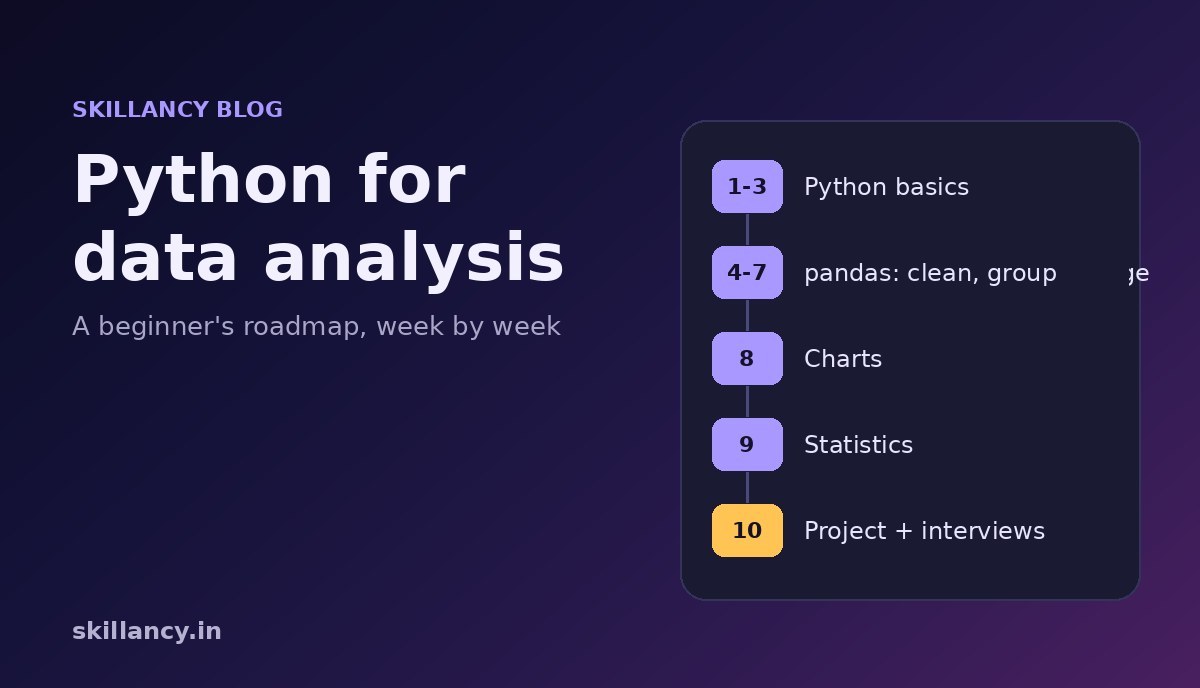
Python for data analysis means using Python to load a table of data, clean it, summarize it, chart it and explain what it says, usually with pandas. It is the skill behind questions like "which city drives our revenue?", "is this month's growth real?" and "who are our best customers?". If you want to become a data analyst, you do not need all of Python, and you do not need machine learning on day one. You need a focused path, practised on real business data. This roadmap shows what to learn, in what order, what to skip for now, and how to check you are ready, with a small analysis whose output was produced by running the code.
Want the whole path in one place? The free Python tutorial has 57 hands-on lessons that follow this roadmap, all using one realistic dataset, with real outputs and three practice questions per lesson. This guide shows how the pieces fit together.
What "Python for data analysis" actually covers
Data analysis is a loop: ask a question, get the data, clean it, summarize it, look at it, and explain it. Python helps with every step of that loop:
- Get the data: read CSV and Excel files, call APIs, and run queries against a database.
- Clean it: fix types, handle missing values, remove duplicates and standardize messy text such as
Bengaluru,bangaloreandBLR. - Summarize it: group by city, month or customer segment and compute totals, averages and counts.
- Look at it: draw charts that make a trend or an outlier obvious.
- Explain it: test whether a difference is real, and write the finding in plain words.
The main libraries are pandas for tables, NumPy for fast numerical work, matplotlib and seaborn for charts, and SciPy for statistics. If you want the machine learning side as well, our guide to Python for data science goes into scikit-learn. This page is about the analyst path that comes first.
What to learn first, and what can wait
| Learn now | Why | Can wait |
|---|---|---|
| Variables, types, strings, numbers | Every script uses them | Decorators, metaclasses |
| Lists, dictionaries, sets, comprehensions | Data arrives as collections | Advanced object-oriented design |
| Functions and simple error handling | Reusable, testable steps | Concurrency and async code |
| Reading and writing CSV, JSON, Excel | Real data lives in files | Web frameworks |
| pandas: select, clean, group, merge, dates | Most of daily analyst work | Deep learning frameworks |
| Charts and basic statistics | Evidence beats opinion | Large-scale distributed tools |
The "can wait" column is not unimportant; it is just not what stops a beginner from getting hired. People often stall by studying advanced topics before they can clean a messy file.
A 10-week roadmap
The plan below assumes about eight hours a week. Your own pace will differ, so treat the weeks as an order of topics rather than a promise. Each row links to the lessons in the free tutorial.
| Week | Focus | You can now | Lessons |
|---|---|---|---|
| 1 | Python basics | Store values, do arithmetic, work with text | Variables, strings |
| 2 | Decisions, loops, collections | Repeat work and organize data in lists and dictionaries | if/else, for loops, dictionaries |
| 3 | Functions, files, errors | Write reusable helpers and read files safely | Functions, CSV and JSON, exceptions |
| 4 | NumPy and your first DataFrame | Load a table and inspect it | NumPy arrays, DataFrames |
| 5 | Selecting and cleaning | Turn a messy file into a clean one | Filtering, data cleaning |
| 6 | Grouping and combining tables | Answer "by city" and "by month" questions | groupby, merge and join |
| 7 | Dates and SQL thinking | Build monthly trends and translate SQL queries | Time series, SQL to pandas |
| 8 | Charts | Show a trend, a comparison and a distribution clearly | Matplotlib, choosing charts |
| 9 | Statistics | Say whether a difference is likely real | Descriptive statistics, hypothesis testing |
| 10 | Project and interviews | Explain an analysis end to end | Revenue growth case study, interview questions |
Your first analysis in a few lines
Here is what the pandas stage looks like in practice. We use the FreshBasket dataset from the tutorial: 6,000 orders from a grocery delivery business in India. You can download the files and run the code yourself.
import pandas as pd

orders = pd.read_csv("orders.csv", parse_dates=["order_date"])
items = pd.read_csv("order_items.csv")
stores = pd.read_csv("stores.csv")

print(orders.shape)
print(orders["order_status"].value_counts())
(6000, 9)
order_status
Delivered 5391
Cancelled 370
Returned 239
Name: count, dtype: int64Always inspect first. There are 6,000 rows and three statuses, and only delivered orders should count as revenue. Cancelled and returned orders would inflate every total if you forgot to filter them.
value = (items["quantity"] * items["unit_price"]).groupby(items["order_id"]).sum().rename("value")
df = orders.merge(value, on="order_id").merge(stores[["store_id", "city"]], on="store_id")
delivered = df[df["order_status"] == "Delivered"]

by_city = (
    delivered.groupby("city")["value"]
    .agg(orders="count", revenue="sum", avg_order="mean")
    .round(0)
    .sort_values("revenue", ascending=False)
)
print(by_city.head(4))
orders revenue avg_order
city
Delhi 1159 746553.0 644.0
Bengaluru 1156 742990.0 643.0
Mumbai 869 585420.0 674.0
Hyderabad 616 429685.0 698.0That is the core analyst move: compute an order value per order, join the city, filter to the rows that count and group. Delhi and Bengaluru lead on revenue, but notice that Hyderabad has fewer orders and a higher average order, so "biggest city" depends on whether you mean revenue, order count or basket size.
monthly = delivered.groupby(delivered["order_date"].dt.to_period("M"))["value"].sum()
print(monthly.iloc[[0, 5, 11, -1]].round(0))
print(round(monthly.iloc[-1] / monthly.iloc[0], 1))
order_date
2025-01 32635.0
2025-06 111243.0
2025-12 235991.0
2026-06 388871.0
Freq: M, Name: value, dtype: float64
11.9Monthly delivered revenue grew almost twelve times between January 2025 and June 2026. A good analyst does not stop at "revenue grew". The next question is why: more customers, more orders per customer, or bigger baskets? Splitting growth into those parts is exactly what the revenue growth case study in the tutorial walks through.
How Python fits with SQL and Excel
Python does not replace the other two tools; it extends them.
- SQL pulls the right rows out of a database. Learn it in parallel, starting with our free SQL tutorial. Then the SQL to pandas lesson shows the same query in both languages.
- Excel is still the fastest way to eyeball a small table and share a result. Python takes over when the data is too large, the steps repeat every month, or you need an audit trail. The Excel automation lesson builds a formatted workbook from code.
- Python is where you clean at scale, run statistics, produce charts and automate the report.
Three portfolio projects worth building
- Sales performance review: clean an orders file, report revenue by city and month, and write three findings a manager could act on.
- Customer segmentation: score customers by recency, frequency and spend, group them into segments and recommend one action per segment. The RFM lesson shows the method.
- Automated monthly report: a script that reads this month's file, builds the summary tables and writes a formatted Excel report, so the work takes a minute instead of an afternoon.
For more briefs with step-by-step guidance, see our list of data analysis projects.
Common mistakes when learning Python for data analysis
- Watching instead of typing. Reading code feels like learning. Typing it, breaking it and fixing it is learning.
- Skipping cleaning. Tutorials often hand you tidy data. Real files have missing values, duplicates and inconsistent text, so practise on a messy file early.
- Counting the wrong rows. Forgetting to filter out cancelled orders, or double counting after a join, quietly gives a wrong answer. Check row counts before and after every merge.
- Reporting averages only. When data is skewed, the average hides the story. Look at the median and the spread too.
- Mistaking a pattern for proof. A difference in a sample may be noise. Learn the basics of significance testing before you claim a result.
- Jumping to machine learning. Most analyst jobs are won on cleaning, grouping, charts and clear communication. Models can wait.
Are you ready for interviews?
Analyst interviews usually mix three things: a Python or pandas problem on a table, a SQL problem, and a question about interpretation, such as "is this improvement real?". You are in good shape when you can do the following without looking anything up:
- Group a table and rank items within each group.
- Explain why a join returned more rows than you expected.
- Handle missing values and say why you chose that method.
- Explain the difference between a mean and a median for skewed data.
To practise, work through the 20 solved Python interview questions, then try the live-editor set of Python interview questions.
If you would rather learn this sequence live, with mentors, graded projects and mock interviews, the Data Analytics with Agentic AI program covers Python, SQL, visualization and AI-assisted analysis over a structured cohort.
Frequently asked questions
How long does it take to learn Python for data analysis?
With steady practice, many learners are comfortable with pandas-based analysis in about two to three months. Your starting point and weekly hours matter more than any fixed schedule, and the order of topics matters more than the speed.
Do I need to know programming before I start?
No. The roadmap above starts from variables and loops. Many working analysts began in commerce, engineering, finance or operations rather than computer science.
Should I learn SQL or Python first?
For most analyst roles, start with SQL for pulling data and learn Python alongside it. They complement each other, and interviews often test both.
Is pandas enough, or do I need NumPy too?
pandas is built on NumPy, so you will use both, but you can learn NumPy lightly. Spend most of your time on pandas.
Do I need to learn machine learning to become a data analyst?
Not to get started. Cleaning, grouping, charts and statistics cover most analyst work. Machine learning matters if you are aiming for a data scientist role, which our data science roadmap covers.
Can I practise Python without installing anything?
Yes. The free Python compiler runs Python, NumPy and pandas in your browser, and you can upload the FreshBasket CSV files to it.
Recommended internal links
- Free Python tutorial, 57 lessons: https://skillancy.in/learn/python
- Python for data science guide: https://skillancy.in/blog/python-for-data-science
- Free online Python compiler: https://skillancy.in/tools/python-compiler
- Python interview questions with a live editor: https://skillancy.in/practice/python-questions
- Free SQL tutorial: https://skillancy.in/learn/sql
- How to become a data analyst in India: https://skillancy.in/blog/how-to-become-a-data-analyst-in-india-2026
- Data Analytics with Agentic AI program: https://skillancy.in/courses/data-analytics-with-agentic-ai
Sources and publishing references
pandas documentation: User guide: https://pandas.pydata.org/docs/user_guide/index.html
Python documentation: The Python Tutorial: https://docs.python.org/3/tutorial/
All outputs on this page were produced by running the code on the FreshBasket practice dataset.
Get the Skillancy field notes
One email a week: AI and analytics guides, cohort dates and hiring signals. No spam, unsubscribe anytime.